Capture the space
Import 360° panoramas of a production floor, plant room, laboratory, warehouse, or training environment.
Industry · Product demonstration
Panori Studio turns industrial 360° imagery into a connected walkthrough with equipment landmarks, contextual information, interactive 3D objects, browser preview, and a static export your organization can host.
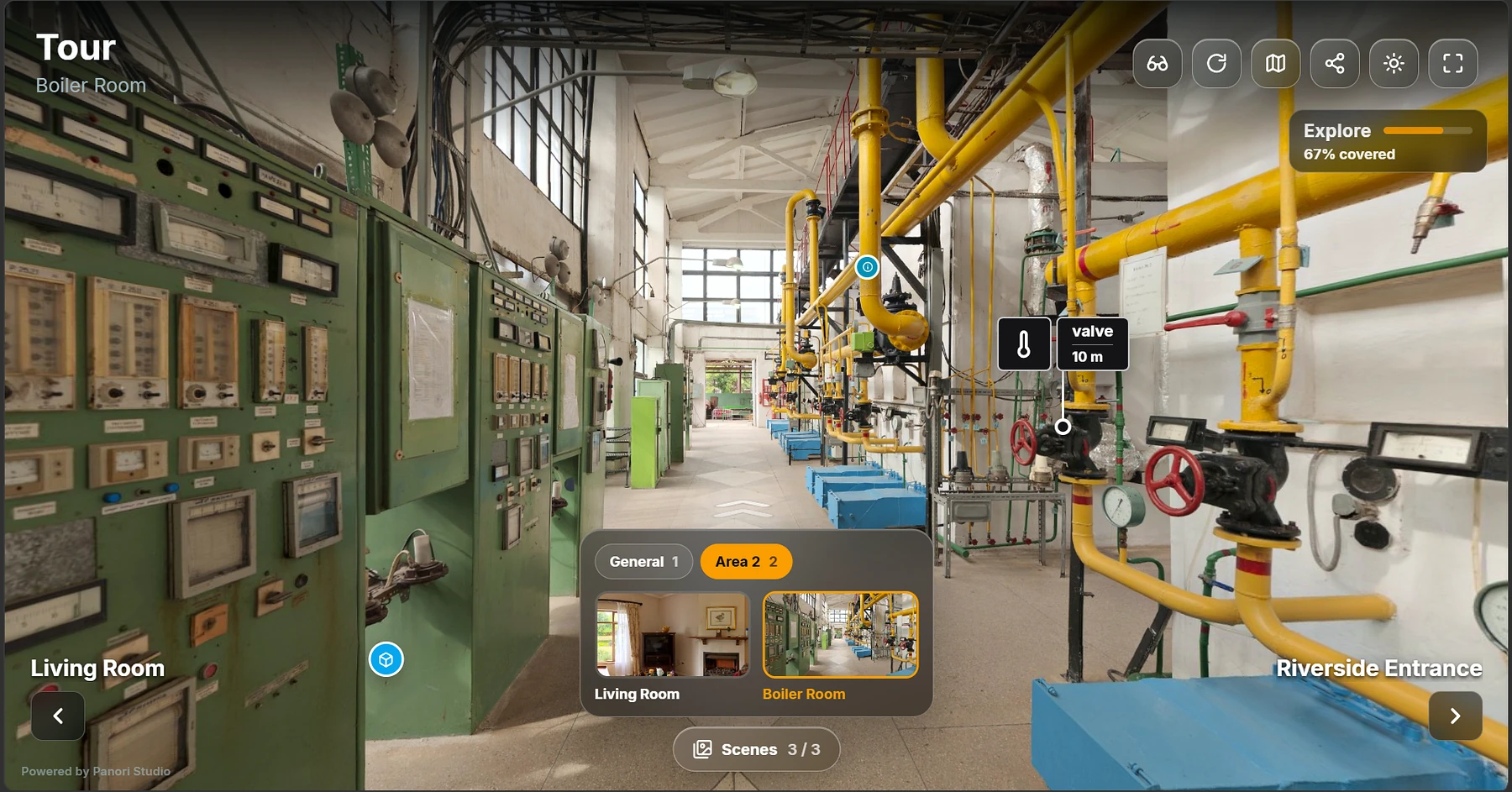
The challenge
Photos and manuals can document individual machines without showing where equipment sits or how people move through a facility. An interactive industrial tour keeps guidance connected to the real environment. This demonstration shows product capability and does not claim measured customer safety, training, or productivity results.
The workflow
Import 360° panoramas of a production floor, plant room, laboratory, warehouse, or training environment.
Place landmarks and information hotspots directly where operators and visitors will look for them.
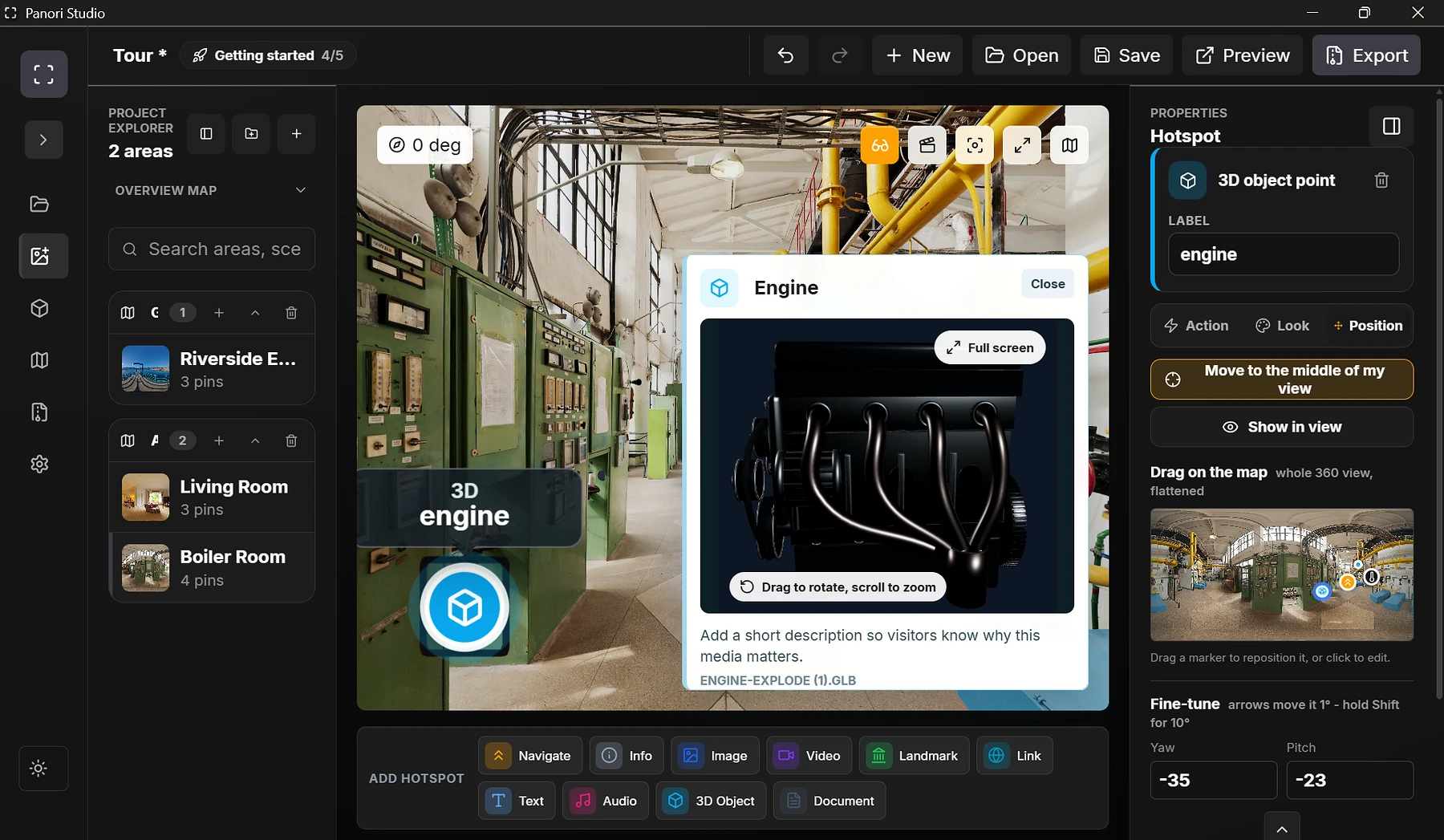
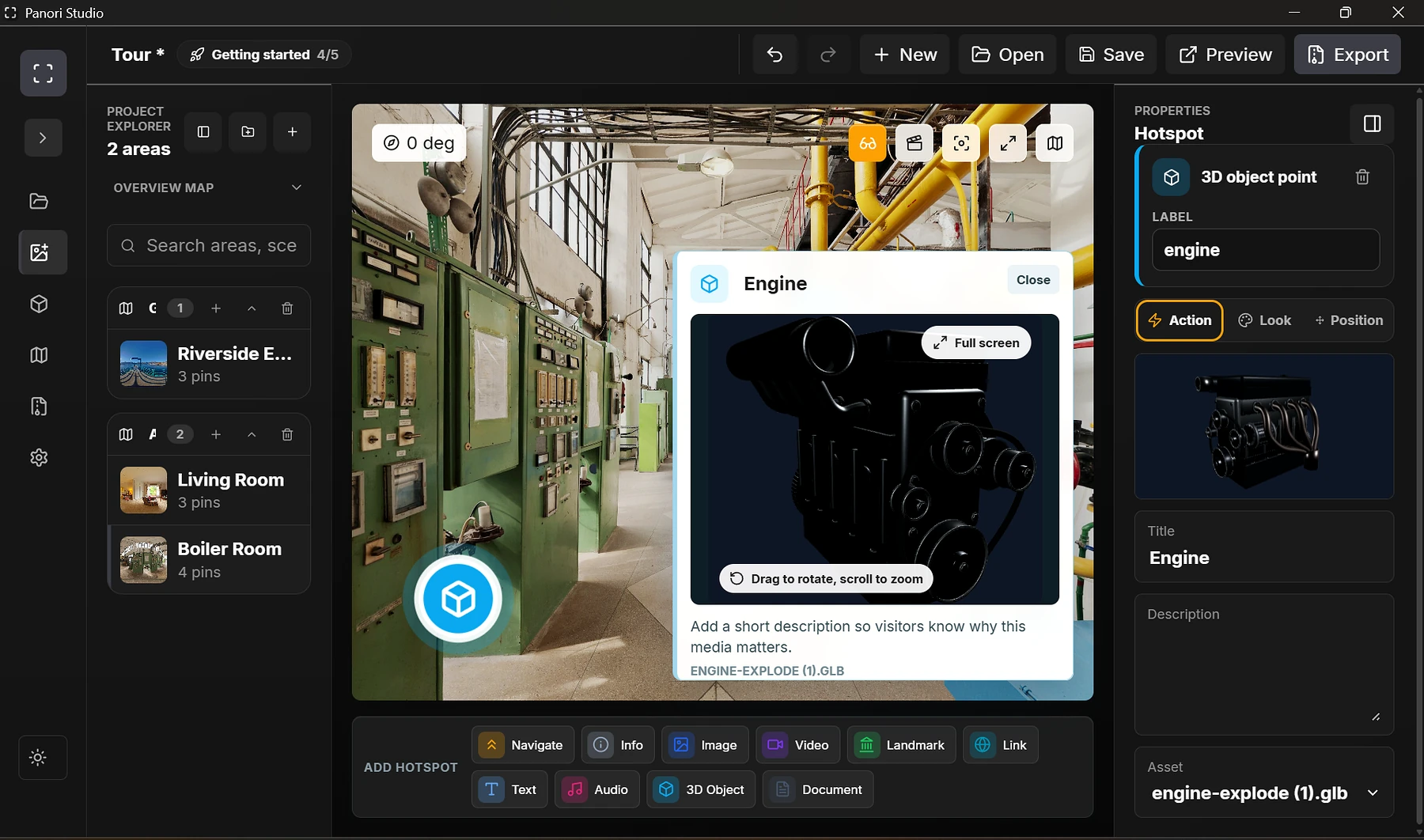
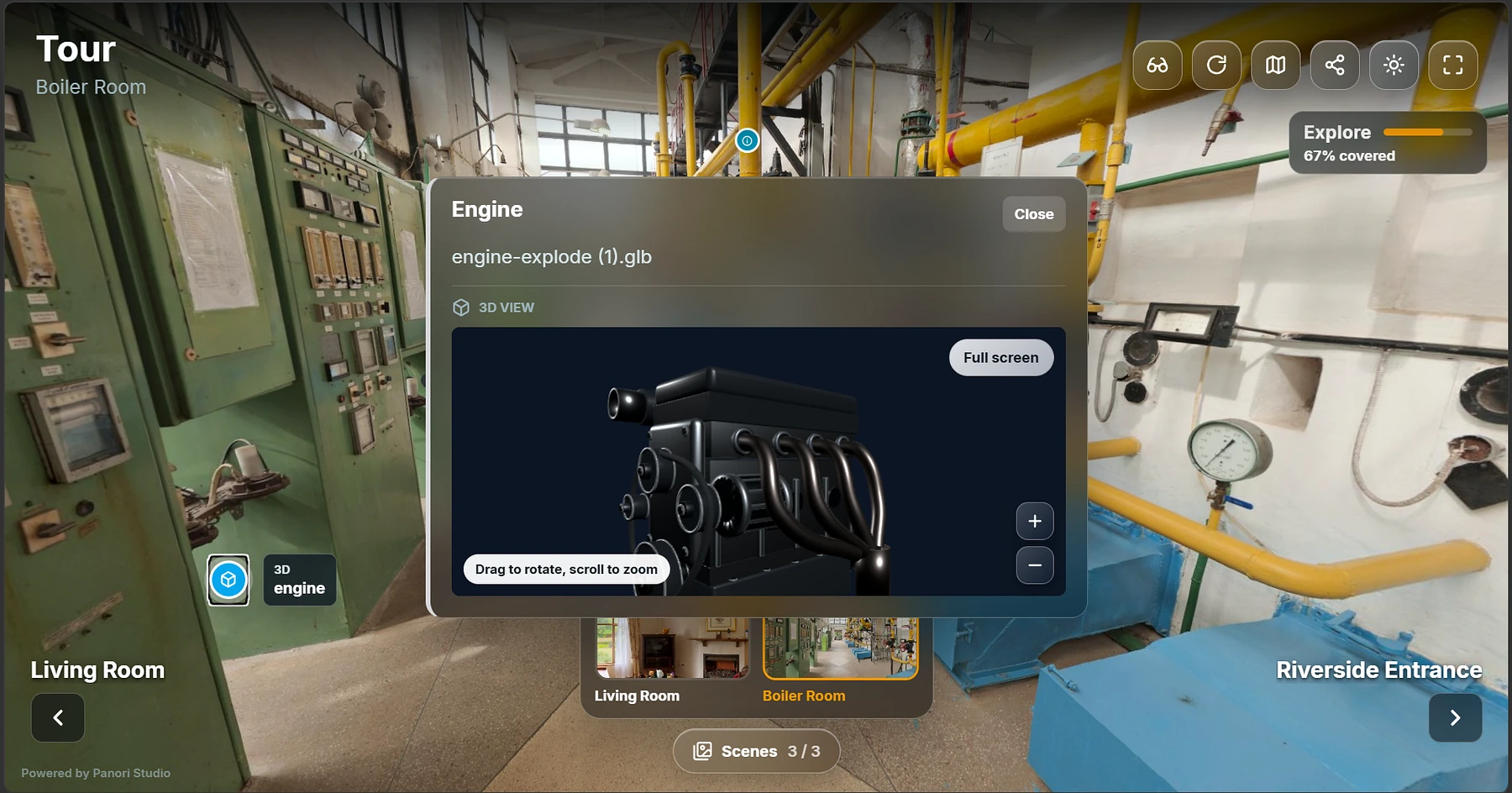
Attach an interactive equipment model so visitors can inspect it without losing the surrounding context.
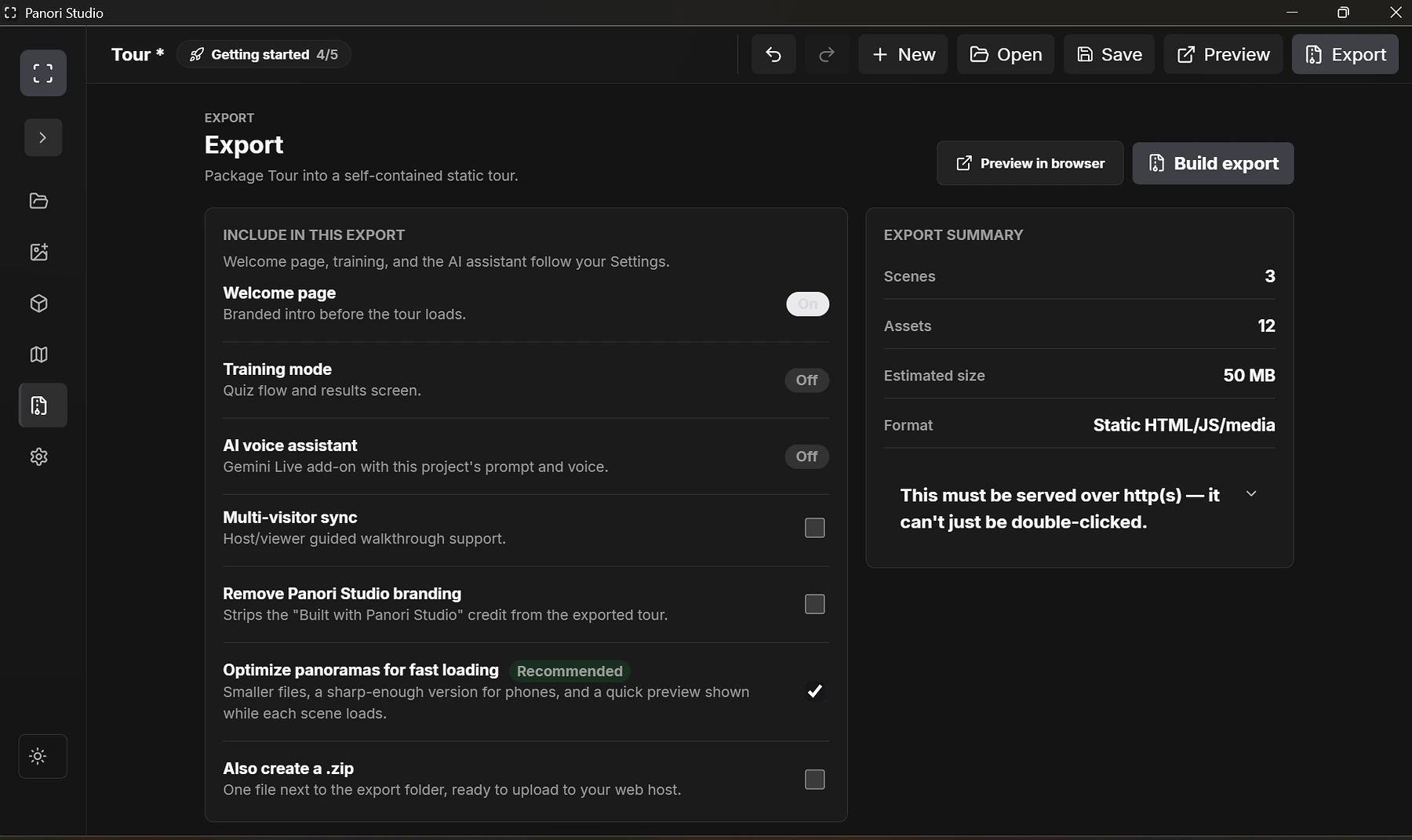
Review the walkthrough in a browser, then export a static package for the organization’s own hosting.
Visitor experience
The published tour keeps the facility visible while a visitor opens and inspects the 3D engine. Scene navigation, exploration progress, and equipment context remain available around the model.
What this demonstrates
Build an industrial walkthrough
Panori Studio Individual includes the full editor, Tour Mode, unlimited scenes, static export, and 3D-model support.
Available now: Panori Studio Individual for Windows. Create interactive 360° tours, add media and 3D hotspots, and export your tour files for free. Optional Publish online hosting is a free pilot with separate limits and terms.
Contact us to discuss your workflow, deployment, customization, or support needs. We will confirm feasibility, scope, availability, and any pricing with you before you commit.